
I already use scrcpy for screen mirroring and as a webcam replacement. Turns out it's also become one of the more useful tools in my React Native workflow, mostly because of one detail people don't talk about much: it works even when the phone's screen is off.
For day-to-day RN development, that one feature changes how I test on a physical device.
Installing scrcpy
Or grab the prebuilt zip from the if you'd rather not use a package manager. ADB is bundled with scrcpy's release zip, but on Linux/macOS you'll usually also want android-tools (Arch) or adb via Homebrew/apt for the extra commands below.
Why Screen-Off Mirroring Matters
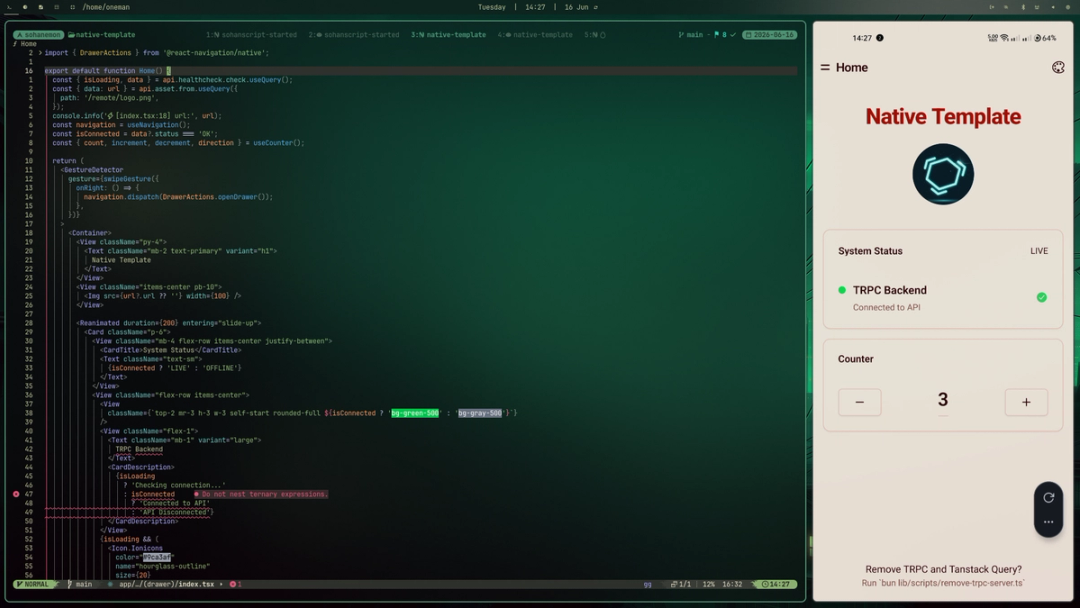
Normally, testing on a real device means the phone screen is on, sitting next to your keyboard, and you're glancing back and forth. scrcpy with --turn-screen-off keeps the phone's actual display off (saves battery, keeps it cool) while still streaming the live feed to a window on your PC.
So my phone sits flat on the desk, screen off, plugged in, and I just watch the app inside a window on my monitor like it's a built-in simulator. Hot reload, layout changes, animations, all visible without touching the device.
scrcpy --stay-awake --turn-screen-off --no-audio--stay-awake keeps the device awake over USB even with the display off, so the app doesn't suspend.
Auto-Launching Expo Go
The other piece of friction in RN development is the part right after you plug the phone in: unlocking it, finding Expo Go, tapping it, then scanning or typing the dev server URL.
scrcpy can launch an app directly as part of starting the mirror session, no separate ADB call needed:
scrcpy --start-app=host.exp.exponenthost.exp.exponent is Expo Go's package name. scrcpy starts the app on the phone the moment the mirror session connects, so by the time the window opens, Expo Go is already loading.
Combine it with the screen-off flags and you get the whole flow in one line: plug in phone, run one command, scrcpy window opens with Expo Go already running, no touching the device at all.
scrcpy --start-app=host.exp.exponent --stay-awake --turn-screen-off --no-audioBonus: Debug Logs Without Leaving the Terminal
Since you're already in ADB territory, logcat filtered to your app's process is the other half of this workflow:
adb logcat | grep -i ReactNativeJSThis surfaces your console.log output and JS errors directly in the terminal, right next to the mirrored window. No need to shake the device for the dev menu or dig through Android Studio's Logcat panel.
Final Thoughts
None of this replaces an emulator, and for quick iteration the emulator is still often faster to boot. But for testing real device behavior, camera, sensors, performance, actual touch feel, one scrcpy command gets you most of the way to a "just works" physical-device dev loop, without ever picking the phone up off the desk.